
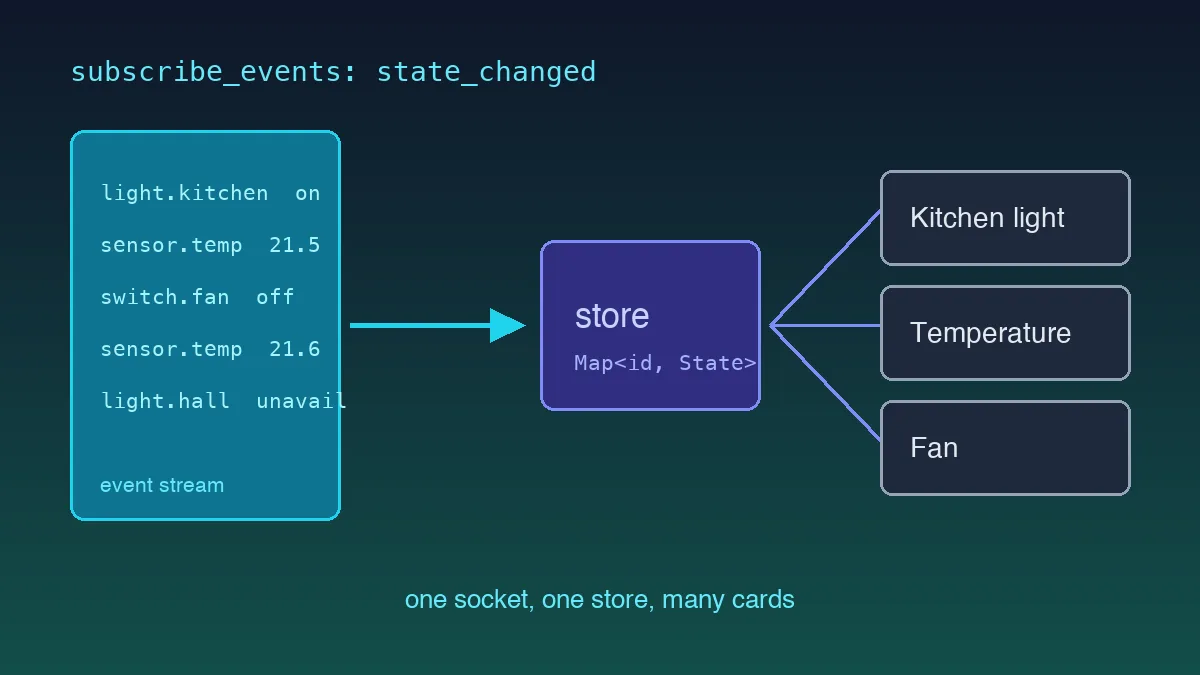
Real-time UI tutorials usually run on a mock stream that ticks once a second, in perfect order, and never disconnects. Real event sources aren't like that. Home Assistant will push a burst of twenty events when an automation fires, then go quiet for a minute, then drop the connection entirely because someone reloaded the configuration. Which of those breaks your dashboard first?
Quick take: Own the socket outside the React tree, funnel events into a single store keyed by entity ID, and subscribe per entity so a temperature update doesn't re-render the whole grid. On reconnect, re-fetch the full state snapshot rather than resuming, because events that fired during the outage are gone for good.
The Shape of the Problem
Home Assistant's WebSocket API is a small protocol with one unusual property: the server speaks first. It sends auth_required, you reply with a token, it answers auth_ok, and only then can you subscribe. Every command you send carries an incrementing id that comes back on the reply so you can correlate them.
Once subscribed to state_changed, each event carries the entity ID, the old state, and the new state, all of them in the string-plus-attributes shape described in our guide to typing Home Assistant data in TypeScript. Everything below assumes those types exist, because the parsing question and the transport question are genuinely separate problems and mixing them is how the socket layer ends up knowing about brightness.
One Socket, Owned Outside React
The first instinct is a useEffect in a provider component that opens the socket. It works until StrictMode double-invokes the effect in development and you spend an afternoon wondering why every event arrives twice.
Own it at module scope instead:
type Listener = (entityId: string, state: EntityState) => void;

class HaClient {
  private socket: WebSocket | null = null;
  private listeners = new Set<Listener>();
  private nextId = 1;
  private backoff = 1000;

  connect(url: string, token: string) {
    if (this.socket) {
      return;
    }
    const socket = new WebSocket(url);
    this.socket = socket;

    socket.addEventListener("message", (event) => {
      const msg = JSON.parse(event.data as string);
      if (msg.type === "auth_required") {
        socket.send(JSON.stringify({ type: "auth", access_token: token }));
        return;
      }
      if (msg.type === "auth_ok") {
        this.backoff = 1000;
        void this.resync();
        socket.send(JSON.stringify({
          id: this.nextId++,
          type: "subscribe_events",
          event_type: "state_changed",
        }));
        return;
      }
      if (msg.type === "event") {
        const { entity_id, new_state } = msg.event.data;
        if (new_state) {
          this.listeners.forEach((fn) => fn(entity_id, new_state));
        }
      }
    });

    socket.addEventListener("close", () => {
      this.socket = null;
      setTimeout(() => this.connect(url, token), this.backoff);
      this.backoff = Math.min(this.backoff * 2, 30_000);
    });
  }

  subscribe(fn: Listener) {
    this.listeners.add(fn);
    return () => this.listeners.delete(fn);
  }
}
Two details carry most of the value. The backoff resets to one second on a successful auth_ok, not on socket open, because a socket that opens and then rejects your token is not a success and hammering it every second helps nobody. And resync() runs before the subscription, which is the next section.
Reconnection Is a State Problem, Not a Transport Problem
Everyone writes the exponential backoff. Far fewer handle what the outage did to the data.
The API pushes changes as they happen and replays nothing. Reconnect after a two-minute Home Assistant restart and every entity that changed in that window sits in your store at its old value, indefinitely, until it happens to change again. A door sensor might not change for six hours. Your dashboard shows "closed" the entire time, confidently, and it's wrong.
So the resync is not optional:
private async resync() {
  const res = await fetch(`${REST_BASE}/api/states`, {
    headers: { Authorization: `Bearer ${TOKEN}` },
  });
  const states: EntityState[] = await res.json();
  states.forEach((s) => {
    this.listeners.forEach((fn) => fn(s.entity_id, s));
  });
}
One REST call, full snapshot, push it through the same listener path as live events so there's exactly one code path writing to the store. I've shipped the version without this. The bug it produces surfaces days later and looks like anything except a reconnection problem, which is why it's worth doing on day one.
Skip the resync-on-reconnect and the bug shows up days later looking like anything except a reconnection problem.
Keeping Renders Cheap
Now the React side, where the naive version has a specific and measurable failure.
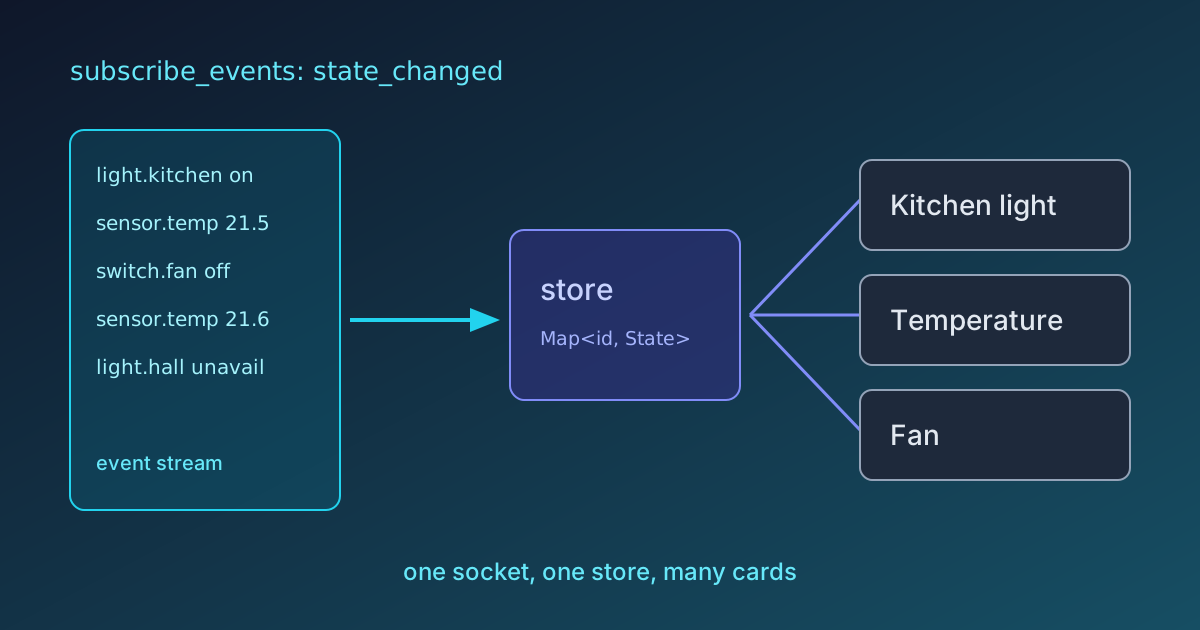
Put the whole entity map in a context value and every consumer re-renders whenever anything changes. With 200 entities and an automation firing, that's a burst of renders across every card on screen for updates that concern one of them. On a wall-mounted tablet, which is where these dashboards usually end up, you feel it immediately.
Subscribe per entity instead, with useSyncExternalStore:
const store = new Map<string, EntityState>();

function useEntity(entityId: string): EntityState | undefined {
  return useSyncExternalStore(
    (onChange) => client.subscribe((id) => {
      if (id === entityId) {
        onChange();
      }
    }),
    () => store.get(entityId),
  );
}
Now a card reading sensor.kitchen_temperature re-renders when that sensor changes and at no other time. The identity check matters too: getSnapshot must return a stable reference when nothing changed, so write new objects into the Map on update rather than mutating the existing one, or React will loop.
For a dashboard of any size, Zustand with selectors gets you the same behaviour with less ceremony. The principle is what matters, subscribe to the narrowest slice you can name.
What the Native Dashboard Already Does
Mine does, for my use case, because I wanted charts the built-in cards don't offer. That's a narrow reason and it's the only kind of reason that holds up. Building a worse Lovelace in React is a rite of passage, but it's still a worse Lovelace.
Where This Goes Next
The store above holds current state and nothing else, which covers most of a control panel. The moment you want a graph, you need history, and that's a different API with different problems, aggregation windows, downsampling, and a payload that gets large fast. That's the next piece to build once the live layer is stable, and it's the whole subject of charting home energy data with Recharts.
Get the reconnect resync right first. Everything else in a real-time dashboard is a render optimisation, and render optimisations don't matter when the numbers on screen are quietly two hours old.