

TL;DR: Six React packages in our catalogue crossed a major version. We measured both sides of every jump with the same pipeline.
react-dropzoneshrank 62%, and we pinned the drop to the exact release that caused it.@tanstack/react-tablegrew 114%. The rest moved between 4% and 26%.
Why measure both sides
Most upgrade advice tells you what broke. Almost none tells you what it cost, because that means installing the old version too, and nobody keeps the old version around.
Upgrade cost isn't the whole bill either. The bigger number lands when you stop following a library and leave it instead, which is the stack criterion nobody budgets for.
We maintain a catalogue of React UI packages where every figure is fetched rather than typed. Re-measuring it in August 2026 threw up an obvious follow-up question: six of these packages had crossed a major since the last check, so what did the upgrade actually change on disk?
Every number below comes from the same pipeline. Install the version alone, bundle export * from '<package>' with esbuild in esm, browser, minified, production mode, mark React external because your app already has it, gzip at level 9. That measures the whole public surface, so it is a ceiling rather than a typical cost. It is also identical on both sides of each jump, which is what makes the delta mean something.
I re-ran that pipeline by hand on Node 22.23.2 for react-dropzone, sonner, react-resizable-panels and @tanstack/react-table, and every figure came back within about 1% of the table below (kB here means 1024 bytes). My advice: trust the direction and the ratio, and don't argue over the last digit.
The six jumps
| Package | From | To | Before | After | Change |
|---|---|---|---|---|---|
| react-dropzone | 14.3.5 | 20.1.1 | 16.7 kB | 6.3 kB | -62% |
| sonner | 1.7.4 | 2.0.8 | 9.3 kB | 9.6 kB | +4% |
| recharts | 2.15.1 | 3.10.1 | 134 kB | 158 kB | +18% |
| lucide-react | 0.475.0 | 1.34.0 | 144 kB | 172 kB | +19% |
| react-resizable-panels | 2.1.7 | 4.12.3 | 9.1 kB | 11.4 kB | +26% |
| @tanstack/react-table | 8.21.2 | 9.1.2 | 15.3 kB | 32.7 kB | +114% |
Numbers in a table are easy to publish and hard to check, so every package below also runs as a component you can poke at. We installed each post-migration version, wrote a story against its new API, and put the lot in a component workshop you can open. Doing that is also how two of the migration notes in this article got corrected: a snippet that reads fine in a release note does not always compile against the package it describes.
react-dropzone: six majors, and a 63% drop in one of them
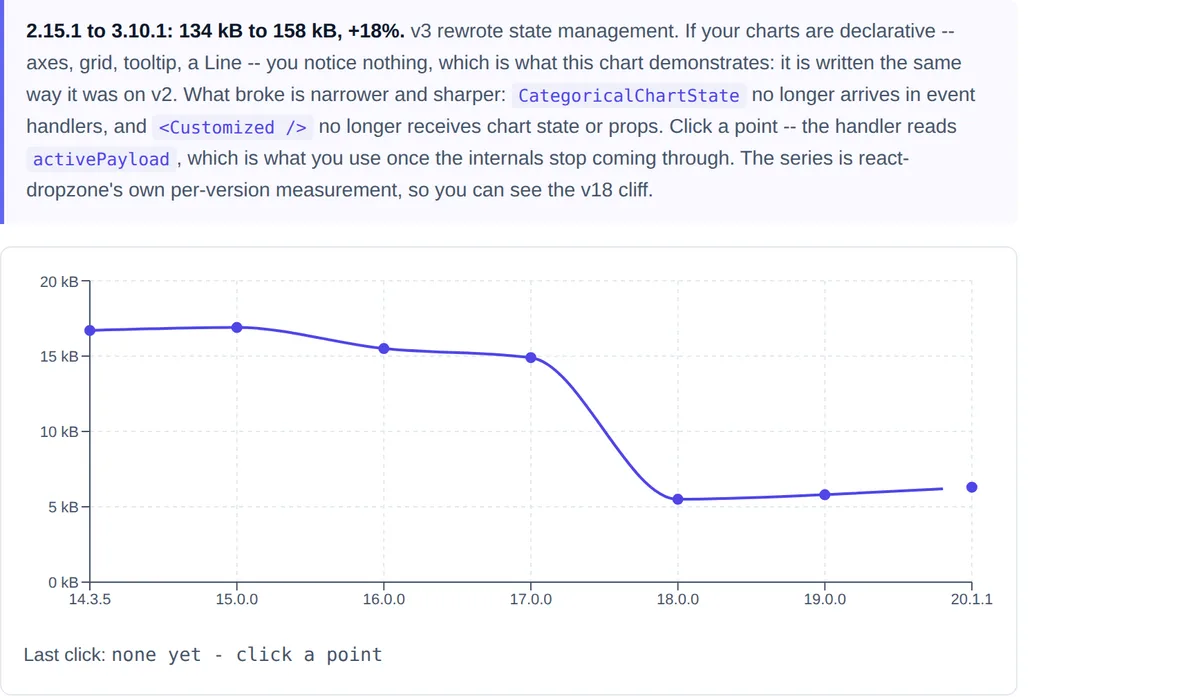
This is the interesting one. Fourteen to twenty is six major versions, and the package came out substantially smaller. Measuring each step shows the drop is not gradual:
| Version | Size |
|---|---|
| 14.3.5 | 16.7 kB |
| 15.0.0 | 16.9 kB |
| 16.0.0 | 15.5 kB |
| 17.0.0 | 14.9 kB |
| 18.0.0 | 5.5 kB |
| 19.0.0 | 5.8 kB |
| 20.1.1 | 6.3 kB |
Almost all of it lands in a single release, and the v18 notes say why: it upgraded file-selector to v4, and "the full extension-to-MIME table is no longer bundled". A lookup table of every known file extension is exactly the kind of thing that is large, rarely needed in full, and invisible until someone measures.
That has a migration cost. If you relied on the extension-to-MIME mapping, you now pass it in yourself:
import { COMMON_MIME_TYPES } from 'file-selector/mime';
import { fromEvent } from 'file-selector';

<Dropzone getFilesFromEvent={event => fromEvent(event, COMMON_MIME_TYPES)} />
v18 also tightened types. FileWithPath now requires path and relativePath, so a plain File is no longer assignable and onDrop handlers typed as FileWithPath[] stop compiling. Type them as File[] instead:
// before
const onDrop = useCallback((accepted: FileWithPath[]) => { /* ... */ }, []);

// after
const onDrop = useCallback((accepted: File[]) => { /* ... */ }, []);
Two more steps have behaviour changes worth knowing. v19 stopped rejecting a whole batch when it exceeded maxFiles, and now accepts the files that fit, so onDropAccepted fires with a partial set where it previously fired with nothing. v20 is Node-only: minimum supported Node is now 22, which affects your CI image and nothing in the browser.
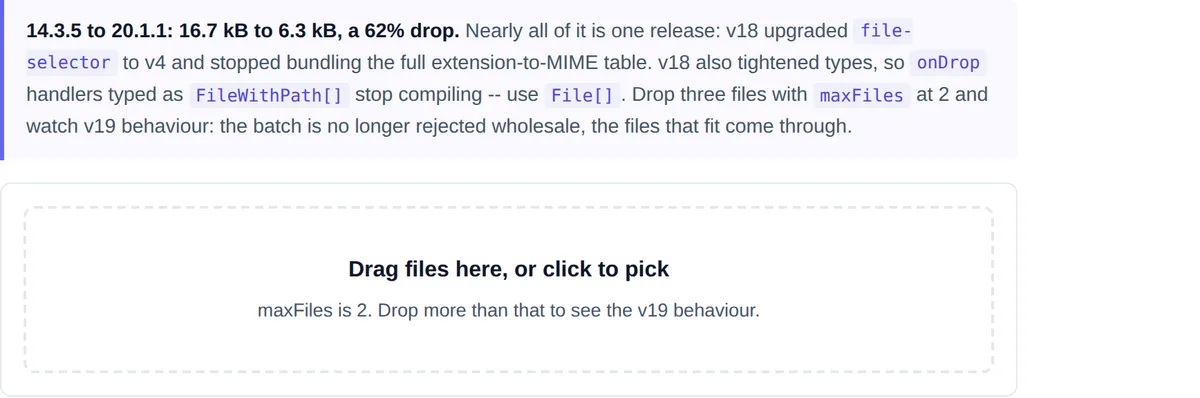
maxFiles set to 2. Drop three files into it and watch the v19 partial-accept behaviour instead of a wholesale rejection.@tanstack/react-table: v9 stable, and twice the size
The largest relative growth in the set. v9 is a stable release of a long-running rewrite, and the release notes point at a per-framework migration guide rather than listing changes inline, which is a fair signal of how much moved.
Put 114% in perspective before reacting to it. The package went from 15.3 kB to 32.7 kB gzipped at full surface. That is real, and it is also small next to almost any application bundle. This is a growth worth understanding, not a growth worth blocking an upgrade over.
"Read the migration guide" is not much of an answer, so here is what moved, read off the typings that ship in 9.1.2 rather than off the notes. The hook is renamed: useReactTable is now useTable. Row models are no longer options you pass alongside the columns, they are factory slots registered inside features, so getCoreRowModel() becomes createCoreRowModel() and lives one level deeper. And flexRender() is replaced by a component hanging off the table instance.
// v8
const table = useReactTable({
  columns,
  data,
  getCoreRowModel: getCoreRowModel(),
  getSortedRowModel: getSortedRowModel(),
});
flexRender(cell.column.columnDef.cell, cell.getContext());

// v9
const features = tableFeatures({
  rowSortingFeature,
  coreRowModel: createCoreRowModel(),
  sortedRowModel: createSortedRowModel(),
});
const table = useTable({ features, columns, data });
<table.FlexRender cell={cell} />
The slots are type-checked against each other, which is a genuine improvement: register sortedRowModel without rowSortingFeature and TypeScript hands you the sentence "requires 'rowSortingFeature' to be included in this table's features" instead of a runtime surprise. If none of that is work you want today, the whole v8 surface is still there as useLegacyTable from @tanstack/react-table/legacy, where the old get*RowModel() functions survive as deprecated compatibility stubs.
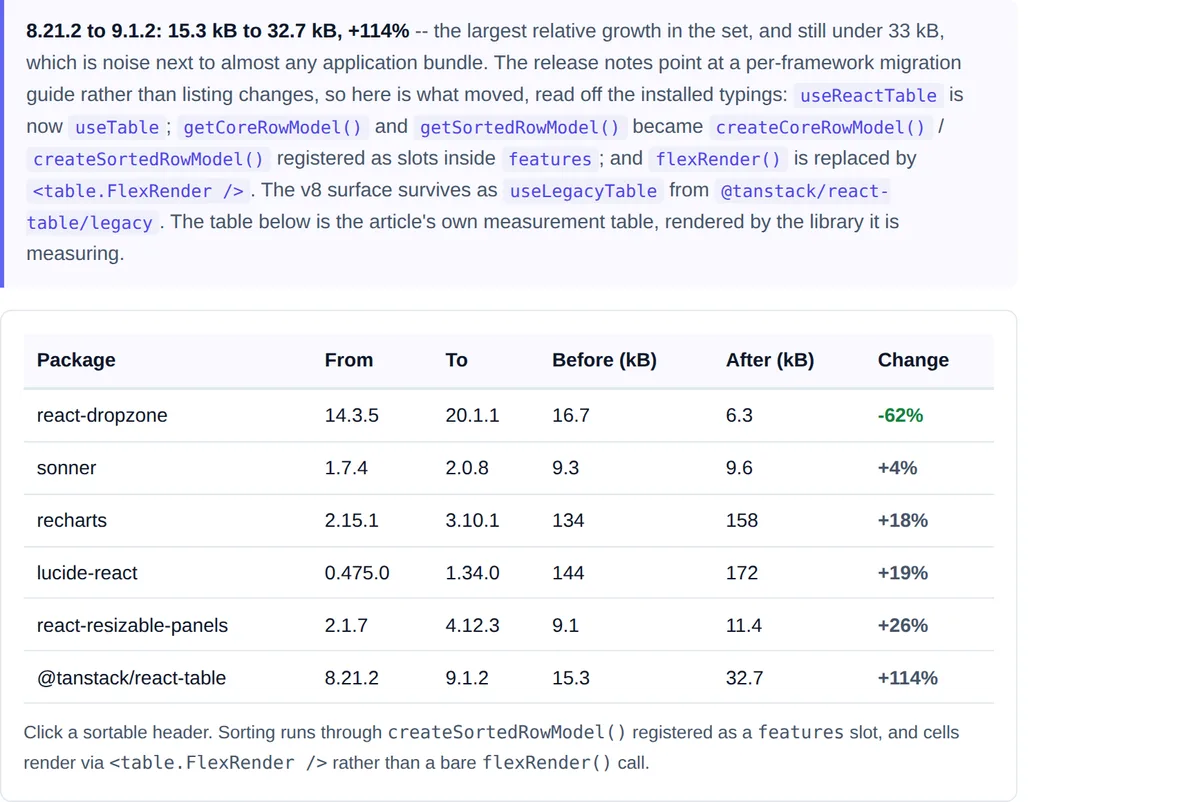
useTable and <table.FlexRender />. Sort it yourself.recharts: state moved, and Customized lost its props
Recharts 3 rewrote state management. The consequences are narrow but sharp: CategoricalChartState, which gave you access to recharts internals, no longer arrives in event handlers, and <Customized /> no longer receives chart state or props.
If your charts are declarative, you will likely notice nothing. If you built a custom overlay by reading internal state out of Customized, that is the code to rewrite, and the migration guide in the project wiki is where the replacement APIs are listed.
What a chart event handler receives instead is worth naming, because it is much narrower than what v2 handed you. In 3.10.1 the argument is a MouseHandlerDataParam: activeIndex, activeLabel, activeDataKey, activeCoordinate and isTooltipActive. There is no payload array and no chart state. So the migration for a click handler is to take the index and look the row up in the data you already own, rather than reading it back out of the chart:
// v2: reach into the chart's own state
onClick={(next) => setSelected(next.activePayload[0].payload)}

// v3: take the index, use your own data
onClick={(next) => {
  const i = typeof next?.activeIndex === 'number' ? next.activeIndex : undefined;
  setSelected(i === undefined ? undefined : data[i]);
}}
react-resizable-panels: ESM-only, then renamed to match ARIA
Two majors, each with a distinct kind of break.
v3 made the package ESM-only. That is a tooling change, not a code change, and it either does nothing to you or it stops your build outright depending on how your bundler and Jest configuration handle ESM dependencies.
v4 is a rename, and the reasoning is stated plainly: the names now follow web standards. PanelResizeHandle became Separator to match the ARIA separator role, and direction became orientation to match aria-orientation.
There is a third rename the release notes bury, and it is the one that will actually stop your build: PanelGroup is gone too. On 4.12.3 the exported names are Group, Panel and Separator, with no PanelGroup export at all. We only caught this by building a running component against the installed package, which is worth doing before you trust any migration snippet, ours included.
// v3
<PanelGroup direction="horizontal">
  <Panel />
  <PanelResizeHandle />
  <Panel />
</PanelGroup>

// v4
<Group orientation="horizontal">
  <Panel minSize={120} />
  <Separator />
  <Panel minSize="20" />
</Group>
v4 also widened size constraints to accept pixels, percentages and rem/em rather than percentages alone, which is the feature the rename came packaged with. The two panels above show how it reads: a bare number is pixels, so minSize={120} is 120 pixels, while a unitless string is a percentage, so minSize="20" is 20 percent. Getting those two confused is the easiest way to ship a sidebar that collapses on a laptop.
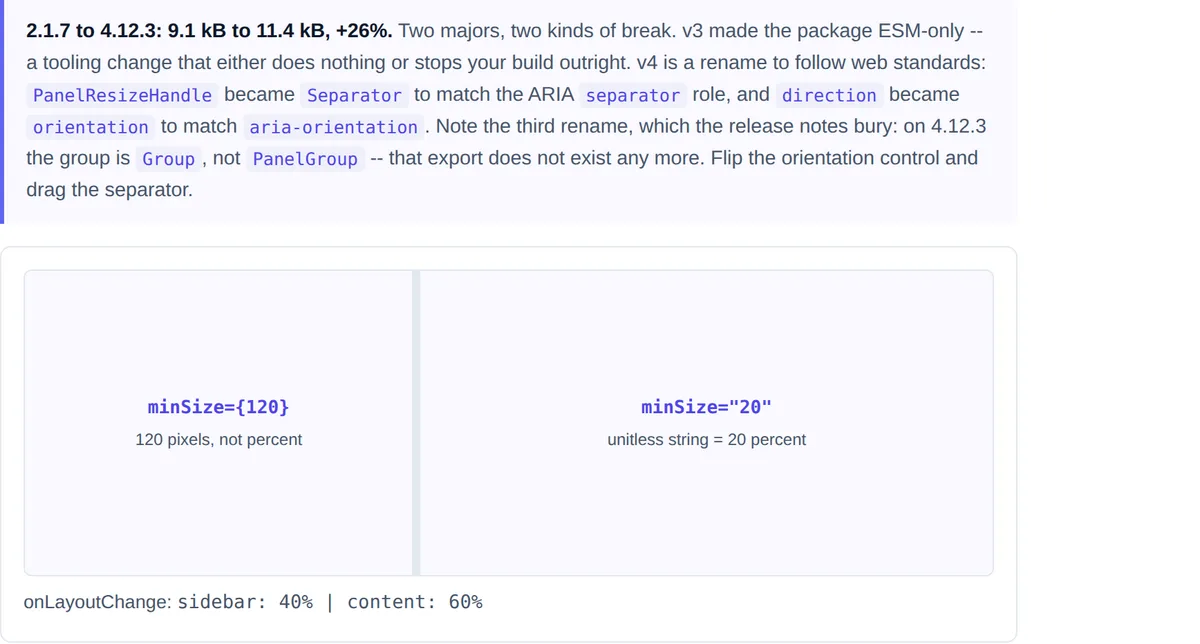
Group with orientation, a Separator, and mixed pixel and percentage size constraints. Drag it yourself.lucide-react: check you are not on 1.0.0
A footnote that will cost somebody an afternoon. Lucide's 1.0.0 release carries a warning from the maintainers that it was published unintentionally, and that 1.0.1 should be used instead. If a lockfile pinned 1.0.0 exactly, move it.
The 19% growth from 0.475.0 to 1.34.0 is mostly icons: the set keeps expanding, and the full-surface measurement counts every one of them. This is the entry where the ceiling is least like your real cost, because almost nobody imports the whole icon set. Three icons cost roughly three icons.
sonner: the quiet one
One to two moved 4%, from 9.3 kB to 9.6 kB, and the release notes describe it as mostly bug fixes. Of the six, this is the jump least likely to need any work, which is worth saying out loud: a major version number is a promise that something could break, not evidence that something did.
What we could not verify
framer-motion crossed from 12 to 13 in the same window. We measured 13.1.1 at 64.0 kB, but could not retrieve release notes for that major from the repository, and the 12.4.11 install failed in our harness, so there is no delta either.
Two entries in this article were wrong until we built the components. The react-resizable-panels v4 snippet used PanelGroup, which 4.12.3 does not export, and the @tanstack/react-table v9 section said the release notes point at a migration guide without saying what was in it. Both are corrected above, and both were caught the same way: by compiling and rendering against the installed package rather than trusting the notes. If you find a third, the stories linked above are open and every claim in them is one click from a running component.
Rather than reconstruct the migration from memory, we have left it out. Upgrade advice assembled from recollection is the exact failure mode that makes this kind of article untrustworthy, and one unverified entry would put the other six in doubt.