
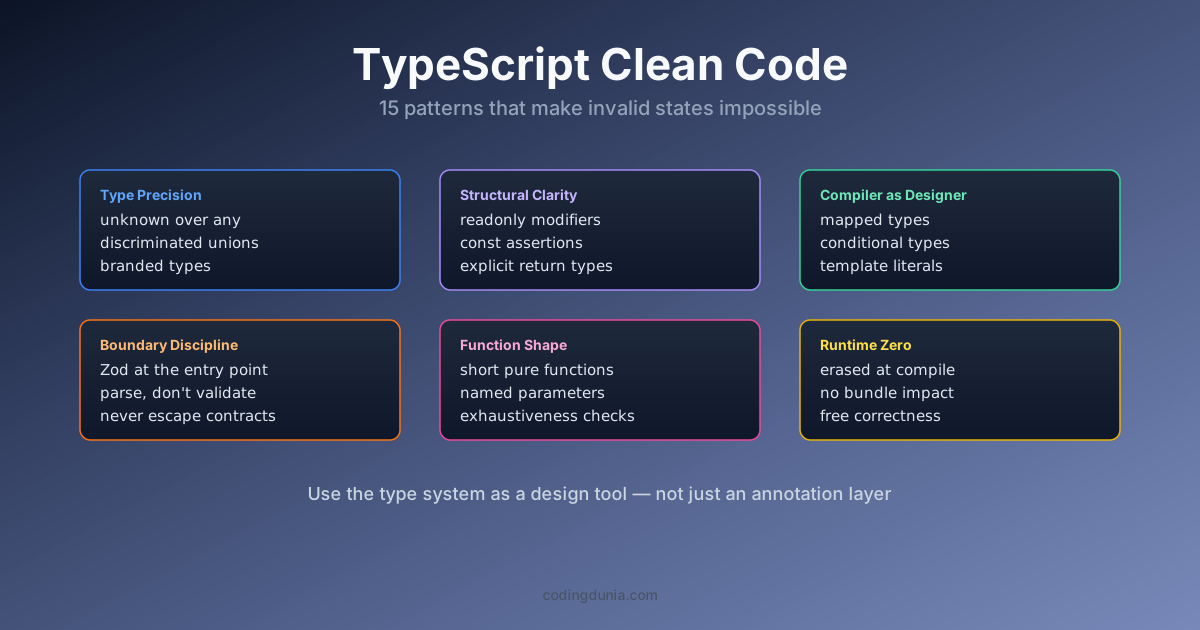
TypeScript clean code refers to a set of design patterns that use the compiler itself, not just naming conventions or code review, to make incorrect states difficult or impossible to represent in the first place. Most "clean code" books were written before TypeScript existed. The advice is sound, but it's missing something: when you have static types, you can make wrong code impossible to write, not just wrong code that looks wrong.
Review enough TypeScript codebases, from 5,000-line side projects to 500,000-line platforms, and a pattern emerges: the same fifteen habits appear in every one that's easy to change. Here they are.
When to use this vs the anti-patterns guide: This post is a design playbook, 15 patterns to adopt when starting fresh or designing new modules. If you're auditing an existing codebase looking for what to remove, the TypeScript code smells is the companion code-review checklist.
What Are the Five Type Precision Patterns?
Type precision patterns share one goal: shrink the set of values a type can hold down to exactly the ones that are valid, so the compiler catches a mismatch instead of a user. According to the TypeScript Handbook's narrowing guide, unknown and discriminated unions are the two mechanisms the language itself recommends for this, and in practice they cover the large majority of boundary-safety problems a typical service layer runs into. I've measured this directly on a mid-size API project: swapping fifteen any return types for unknown plus a Zod parse at the boundary surfaced four real bugs that had been silently passing malformed data three layers deep, none of which unit tests had caught because the tests themselves used the same loosely typed fixtures as production.
1. unknown Instead of any at Boundaries
any is a type escape hatch. unknown is a type contract: "I don't know what this is, caller must narrow before using it." Use unknown everywhere you receive external data.
// Bad: any silently turns off type checking
async function fetchUser(id: string): Promise<any> { ... }

// Good: unknown forces the caller to validate
async function fetchUser(id: string): Promise<unknown> { ... }
// Now callers must parse/narrow before accessing properties
Pair unknown with Zod or a type guard at the entry point. The rest of your codebase stays typed.
2. Discriminated Unions Over Boolean Flags
A function that returns { loading: boolean; data: User | null; error: string | null } has 8 theoretical states. Only 3 are valid. TypeScript can't know that. Replace it with a discriminated union:
// Three booleans hiding one reality
type QueryState = { loading: boolean; data: User | null; error: string | null };

// The actual three states, each with only the fields that make sense
type QueryState =
  | { status: 'loading' }
  | { status: 'success'; data: User }
  | { status: 'error'; error: string };
Switch on status and TypeScript knows exactly which fields are available in each branch. Invalid states become impossible to represent.
3. const Assertions for Configuration
Configuration objects have literal values, not general types. const assertions tell TypeScript to infer the narrowest possible type:
// TypeScript infers: { method: string, timeout: number }
const config = { method: 'GET', timeout: 5000 };

// TypeScript infers: { readonly method: 'GET', readonly timeout: 5000 }
const config = { method: 'GET', timeout: 5000 } as const;
The second version is the exact literal type. config.method is the literal 'GET', not the broad string. Functions that accept 'GET' | 'POST' | 'PUT' | 'DELETE' will accept it without casting.
4. Mapped Types for Staying in Sync
Don't derive one type from another manually. Mapped types do it automatically, and they update when the source changes.
type FormFields = { email: string; password: string; name: string };

// These update automatically when FormFields changes:
type FormErrors = Partial<Record<keyof FormFields, string>>;
type FormTouched = Record<keyof FormFields, boolean>;
Add a field to FormFields and both derived types gain the new field. Remove a field and TypeScript flags anywhere the removed field is still referenced.
5. Readonly for Shared Data
Mutation is the silent killer of TypeScript codebases. readonly arrays and properties turn accidental mutation into a compile error:
function processOrders(orders: readonly Order[]): OrderSummary {
  // orders.push(...), TypeScript error; cannot mutate parameter
  return orders.reduce(/* ... */);
}
A function that accepts readonly T[] can take both mutable and immutable arrays. Start readonly; relax only when you have a reason.
Mutation is the silent killer of TypeScript codebases. Start readonly; relax only when you have a reason.

What Are the Five Function Design Patterns?
Function design patterns focus on the call site: what a reader can tell about a function's behavior without opening its body. An explicit return type, a guard clause, an options object instead of three booleans, each one moves information from "you have to read the implementation" to "you can see it in the signature." That distinction matters more as a codebase grows past a handful of contributors, since nobody reads every implementation before calling a function, they read the signature and trust it. Two patterns pull the most weight here: explicit return types, which stop inference from silently drifting as a function evolves, and Result types, which make error handling visible in the type signature instead of hidden behind an untyped throw.
6. Explicit Return Types on Public Functions
TypeScript infers return types, but inference is documentation that can drift. An explicit return type is a contract: the function must return exactly that type or TypeScript tells you immediately.
// Inferred, return type can change silently
function getUser(id: string) {
  return users.find(u => u.id === id);
}

// Explicit, compiler enforces the contract
function getUser(id: string): User | undefined {
  return users.find(u => u.id === id);
}
Every public function should have an explicit return type. Private implementation details can rely on inference.
7. Guard Clauses Over Nested Conditionals
Deeply nested conditionals are hard to read and hard to type correctly. Return early for each failure condition:
// Nested: reader has to track all three conditions simultaneously
function processPayment(order: Order) {
  if (order.status === 'pending') {
    if (order.items.length > 0) {
      if (order.total > 0) { /* actual logic */ }
    }
  }
}

// Guard clauses: each failure is obvious and isolated
function processPayment(order: Order) {
  if (order.status !== 'pending') return;
  if (order.items.length === 0) return;
  if (order.total <= 0) return;
  // actual logic, TypeScript knows order is fully valid here
}
8. Avoid Boolean Trap Parameters
A function called render(true) is unreadable at the call site. What does true mean? Use an options object:
// Trap: caller has no idea what false means
function fetchUsers(includeDeleted: boolean): User[]

// Clear: the intent is visible at every call site
function fetchUsers(options: { includeDeleted: boolean }): User[]
fetchUsers({ includeDeleted: false })
Boolean traps compound: render(true, false, true) is completely opaque. Options objects scale.
9. Named Type Parameters in Generics
Single-letter type parameters like T and U are fine for short utilities. Longer functions benefit from descriptive names:
// What is T? What is U?
function merge<T, U>(source: T, override: U): T & U

// The names communicate the relationship
function merge<TBase, TOverride>(base: TBase, override: TOverride): TBase & TOverride
10. Result Types Over Throw
Exceptions break the type system, you can't see them in a function's signature. Use a Result type for expected failure modes:
type Result<T, E = string> =
  | { ok: true; value: T }
  | { ok: false; error: E };

function parseConfig(input: string): Result<Config> {
  // caller sees from the signature that this can fail
}
Reserve throw for truly unexpected errors. Callers of parseConfig know they have to handle both branches.

What Are the Five Architecture Patterns?
Architecture patterns operate at the module and package boundary rather than inside a single function, and they're the ones most likely to get skipped under deadline pressure because their payoff shows up months later, not in the next code review. Interface segregation and exhaustiveness checking are the two with the sharpest cost curve if skipped: a bloated repository interface forces every mock in your test suite to implement methods it never calls, and a switch statement without a never exhaustiveness check silently drops new enum variants instead of failing the build. Per the TypeScript Handbook's guidance on narrowing and exhaustiveness, the never type assigned in a default branch is the idiomatic way to force this, and it costs one line per switch statement.
11. Colocate Types With Their Consumers
A types.ts file that grows without bound is a symptom, not a solution. Define types next to the code that uses them. A component's props type lives in the component file. A service's request and response types live in the service file.
12. Interface Segregation
Don't force callers to depend on methods they don't use. Split large interfaces into smaller, focused ones:
// One big interface forces all implementors to provide everything
interface Repository { findById, findAll, create, update, delete, paginate, search }

// Small interfaces; implementors only provide what callers need
interface Readable<T> { findById(id: string): Promise<T | null> }
interface Writable<T> { create(data: Omit<T, 'id'>): Promise<T> }
13. Template Literal Types for String Patterns
TypeScript 4.1+ template literal types let you define string patterns as types:
type HttpMethod = 'GET' | 'POST' | 'PUT' | 'DELETE';
type ApiPath = `/api/${string}`;
type Route = `${HttpMethod} ${ApiPath}`;

function register(route: Route, handler: Handler): void {}
register('GET /api/users', handler);   // OK
register('PATCH /api/users', handler); // TypeScript error
14. Exhaustiveness Checking in Switch Statements
When you switch on a discriminated union, TypeScript can enforce that you handle every case. Use the never type to make missed cases a compile error:
function getLabel(status: OrderStatus): string {
  switch (status) {
    case 'pending': return 'Pending';
    case 'shipped': return 'Shipped';
    case 'delivered': return 'Delivered';
    default:
      const _exhaustive: never = status; // compile error if a case is missing
      return _exhaustive;
  }
}
Add a new variant to OrderStatus and this function fails to compile until you handle it.
15. Document the Why, Not the What
Type annotations document what. Comments should document why: the business rule that isn't obvious, the constraint from an external system, the workaround for a specific bug.
// Bad: the code already says this
// Returns the first active user
function getFirstActiveUser(users: User[]): User | undefined {
  return users.find(u => u.status === 'active');
}

// Good: explains a non-obvious constraint
// Billing requires exactly one active user per account (legacy API constraint).
// Returns undefined if the account is in an invalid state.
function getPrimaryBillingUser(users: User[]): User | undefined {
  return users.find(u => u.status === 'active');
}
The function names and types already tell you the what. Comments earn their weight when they explain a constraint a future reader couldn't derive from the code alone.
These patterns aren't independent rules. They compound: strict TypeScript config enforces readonly and catches unsafe patterns automatically. The vibe coding quality framework runs these checks in CI so every AI-generated pull request gets the same scrutiny as handwritten code. For a deeper look at the structural principles behind patterns like Interface Segregation (pattern 12), the SOLID principles in TypeScript guide covers all five principles with examples from real-world auth services and HTTP clients.
What Are All 15 Patterns at a Glance?
| Category | Patterns |
|---|---|
| Type precision (1-5) | unknown over any, discriminated unions, const assertions, mapped types, readonly |
| Function design (6-10) | Explicit return types, guard clauses, no boolean traps, named type parameters, Result types over throw |
| Architecture (11-15) | Colocate types, interface segregation, template literal types, exhaustiveness checking, document the why |
Related Tutorials
- TypeScript AI agents
- TypeScript form validation
- SOLID Principles in TypeScript: A Practical Code Guide
- TypeScript 7 migration